
- What Is DLSS, Really?
- How Does DLSS Actually Work?
- DLSS Explained: Every Version From DLSS 1 to DLSS 4.5
- DLSS Version Comparison Table
- What Independent Tests Actually Found
- Games That Use DLSS (And How Many)
- DLSS 5: What We Know So Far
- Should You Actually Turn DLSS On?
- DLSS Explained: Frequently Asked Questions
- What does DLSS stand for?
- Do I need an NVIDIA RTX card to use DLSS?
- Does DLSS make games look worse?
- What's the difference between DLSS Super Resolution and Frame Generation?
- Is DLSS the same thing as FSR or XeSS?
- Does DLSS add input lag?
- Will my current graphics card support DLSS 5?
- How do I know which DLSS version a game supports?
- Should I use DLSS in competitive multiplayer games?
- The Bottom Line
If you’ve ever seen “DLSS” in a game’s graphics settings and wondered what it actually does, you’re in the right place. This is DLSS explained the way it should be — no engineering degree required. We’ll cover what DLSS is, how it works under the hood, every version from the shaky first release in 2018 to today’s DLSS 4.5, what independent reviewers found when they tested it, which games use it, and what’s coming with DLSS 5.
What Is DLSS, Really?
DLSS stands for Deep Learning Super Sampling. Strip away the jargon and it’s a piece of software, built into NVIDIA’s GeForce RTX graphics cards, that uses artificial intelligence to make games run faster without making them look noticeably worse.
Here’s the plain-English version: your graphics card renders the game at a lower resolution than your monitor — say 1080p instead of 4K — because that’s much less work. Then an AI model, trained on millions of ultra-high-quality images, fills in the missing detail and reconstructs something that looks close to native 4K. You get most of the visual quality of native resolution, but with a much bigger frame rate.
Think of it like a skilled restorer touching up a slightly blurry photograph. The photo was taken quickly (that’s the low-resolution render), but the restorer’s trained eye — in this case, a neural network — knows what fine detail should be there and paints it back in convincingly.
DLSS only works on GeForce RTX graphics cards because it needs specialized hardware called Tensor Cores, which are built specifically for running AI calculations quickly. Older GTX cards don’t have them, so DLSS isn’t available on that hardware.
How Does DLSS Actually Work?
DLSS isn’t one single trick anymore — it’s a family of AI features that work together. Here’s each piece, explained simply.
The Downscale-Then-Upscale Trick
At its core, DLSS Super Resolution renders your game at a lower internal resolution, then uses an AI model to scale that image back up to your monitor’s actual resolution. This is the original and most basic form of DLSS, and it’s still the foundation everything else is built on.
The AI Part: What the Neural Network Actually Does
The upscaling isn’t a simple stretch-and-blur like resizing a photo in Paint. NVIDIA trains its AI model on an enormous library of extremely high-quality, super-sampled images — essentially “perfect” reference frames rendered slowly and carefully. The model learns the patterns of what fine detail, edges, and textures look like, then applies that knowledge in real time to reconstruct a sharper image from the lower-resolution frame the game just produced.
Newer versions also use temporal data — information from the last several frames — so the AI has more context about motion and detail than a single image alone could offer.
Frame Generation: Making Frames the GPU Never Rendered
Starting with DLSS 3, NVIDIA added a second trick: instead of only improving frames the GPU rendered, the AI started creating brand-new frames from scratch and slotting them in between real, rendered frames. It does this by analyzing motion data from the surrounding frames and predicting what the in-between frame should look like.
This is a completely different job from upscaling — it’s generation, not reconstruction — and it’s why Frame Generation can boost frame rates so dramatically, especially in games where your CPU (not your GPU) is the bottleneck.
Ray Reconstruction: Cleaning Up Ray Tracing Noise
Ray tracing (realistic lighting and reflections) is notoriously “noisy” — it needs a lot of samples to look clean, and cutting corners for performance normally means grainy, flickering reflections and shadows. DLSS’s Ray Reconstruction feature replaces the traditional, hand-tuned denoising filters with an AI model trained specifically to clean up ray-traced images, producing sharper and more stable reflections, shadows, and global illumination than older denoising methods could manage.
DLSS Explained: Every Version From DLSS 1 to DLSS 4.5
This is where most explainers get confusing, because NVIDIA has reused the “DLSS” name for several genuinely different technologies over the years. Here’s DLSS explained version by version, in order.
DLSS 1 (2018) — The Rocky Start
The original DLSS launched alongside the first RTX cards (the RTX 20 series, “Turing”) in 2018. It had to be trained separately for every individual game, and the results were inconsistent — often blurrier and less detailed than just running the game at native resolution. It’s now remembered mostly as a proof of concept rather than something worth using.
DLSS 2 (2020) — The Real Beginning
This is the version most people mean when they talk about “DLSS” actually working. NVIDIA scrapped the per-game training approach and built one generalized AI model that used temporal data from previous frames to make far smarter reconstruction decisions. Image quality jumped enormously, and DLSS 2 became the version that made the technology genuinely popular, appearing in hits like Death Stranding, Control, and Cyberpunk 2077.
DLSS 3 (2022) — Frame Generation Arrives
Launched with the RTX 40 series (“Ada Lovelace”), DLSS 3 introduced AI Frame Generation. Using a piece of dedicated hardware called the Optical Flow Accelerator, it could insert AI-generated frames between real ones, in some cases nearly doubling frame rates in CPU-limited games like Microsoft Flight Simulator. Frame Generation was exclusive to RTX 40-series cards, and NVIDIA required its Reflex latency-reduction tech to run alongside it to keep the added frames from feeling laggy.
DLSS 3.5 (2023) — Ray Reconstruction
DLSS 3.5 didn’t touch frame rates directly — instead, it introduced Ray Reconstruction, the AI ray-tracing denoiser described above. Unlike Frame Generation, Ray Reconstruction worked on every RTX card, from the RTX 20 series onward. It debuted in Cyberpunk 2077: Phantom Liberty, Alan Wake 2, and Portal with RTX.
DLSS 4 (2025) — The Transformer Model and Multi Frame Generation
Announced at CES 2025 alongside the RTX 50 series (“Blackwell”), DLSS 4 was a genuine architecture change. NVIDIA replaced the older convolutional neural network (CNN) that powered every DLSS feature with a vision transformer model — the same family of AI architecture behind large language models — giving it much better awareness of detail across an entire frame and across time.
DLSS 4 also introduced Multi Frame Generation, capable of generating up to three AI frames for every one frame the GPU actually rendered — a 4x multiplier. Multi Frame Generation is exclusive to RTX 50-series cards, though the improved transformer-based Super Resolution and Ray Reconstruction work on all RTX generations. DLSS 4 became NVIDIA’s fastest-adopted DLSS technology ever, reaching more than 250 games within its first year.
DLSS 4.5 (2026) — The Version Running Right Now
Unveiled at CES 2026, DLSS 4.5 is the current flagship version as of this writing. Its headline feature is a 2nd-generation transformer model for Super Resolution — NVIDIA says it uses roughly five times the compute of the original DLSS 4 transformer and was trained on a much larger, higher-fidelity dataset. Unlike Multi Frame Generation, this upgraded Super Resolution model works on every RTX GPU, from the RTX 20 series through the RTX 50 series, via a simple NVIDIA App update.
DLSS 4.5 also added:
- Dynamic Multi Frame Generation — automatically adjusts how many AI frames it generates in real time to hit your target frame rate or your monitor’s refresh rate, rather than using a fixed multiplier.
- 6X Multi Frame Generation — up to five AI-generated frames for every one rendered frame, NVIDIA’s biggest multiplier yet.
- DLSS 4.5 Ray Reconstruction — the ray-tracing denoiser also received the 2nd-generation transformer treatment a few months later, pushing the total library of games and apps using some form of DLSS past 1,000.
As with DLSS 4, the new Multi Frame Generation modes remain exclusive to RTX 50-series hardware, while the Super Resolution and Ray Reconstruction upgrades are available across the whole RTX lineup.
DLSS Version Comparison Table
| Version | Released | Headline Feature | Hardware Needed | What Changed |
|---|---|---|---|---|
| DLSS 1 | 2018 | Per-game AI upscaling | RTX 20 series | Inconsistent, often blurry |
| DLSS 2 | 2020 | Generalized AI model | RTX 20 series onward | Huge, reliable quality jump |
| DLSS 3 | 2022 | Frame Generation | RTX 40 series onward (Frame Gen only) | AI-created frames, big fps boost |
| DLSS 3.5 | 2023 | Ray Reconstruction | All RTX cards | AI denoising for ray tracing |
| DLSS 4 | 2025 | Transformer model + Multi Frame Generation (up to 4x) | RTX 20+ (Super Res); RTX 50 (MFG) | Sharper image, much bigger fps gains |
| DLSS 4.5 | 2026 | 2nd-gen transformer + 6X Dynamic Multi Frame Generation | RTX 20+ (Super Res/Ray Recon); RTX 50 (6X MFG) | Beat native resolution in blind testing |
| DLSS 5 | Fall 2026 (announced) | Real-time neural rendering | RTX 50 series only | Shifts focus from fps to visual fidelity |
What Independent Tests Actually Found
NVIDIA’s own marketing numbers are one thing — here’s what happened when outside reviewers put DLSS 4.5 through its paces.
The ComputerBase Blind Test
In a blind test involving thousands of participants, tech outlet ComputerBase had gamers compare DLSS 4.5 Super Resolution against native, no-upscaling resolution across six different games — and DLSS 4.5 won on perceived visual quality in every single one. That’s a notable result: AI-reconstructed images being preferred over the “real” native image, largely because the AI model can add fine detail and stability that native rendering, run through standard anti-aliasing, doesn’t always achieve.
Digital Foundry’s Verdict
Digital Foundry, one of the most respected outlets for this kind of technical analysis, tested DLSS 4.5’s new presets (“Preset M” and “Preset L”) across a range of RTX GPUs at 1440p and 4K. Their findings were largely positive but not uncritical: image quality improved meaningfully over DLSS 4, particularly in vegetation stability and fine detail, but they also flagged some regressions in how the new model interacts with ray-tracing denoisers in certain games — issues NVIDIA and developers are still working through with patches.
The Performance Cost Nobody Talks About
It’s worth being upfront: better image quality isn’t free. In lab testing across four demanding AAA titles at 4K, Notebookcheck found DLSS 4.5’s top-quality Preset M did produce a visibly sharper image than even native resolution in some scenes — but at a real performance cost, with average frame rates dropping by around 44.5% compared to the faster DLSS 4 Performance mode in their test scenario. The takeaway: DLSS 4.5’s best-looking preset is a genuine quality upgrade, not a free frame-rate boost, and which preset makes sense depends on whether you’re chasing image fidelity or raw FPS.
Games That Use DLSS (And How Many)
DLSS has come a long way from being a niche feature in a handful of titles. As of 2026, some form of DLSS — Super Resolution, Frame Generation, or Ray Reconstruction — is available in over 1,000 games and applications combined.
Some notable examples by category:
- Path-tracing showcases: Cyberpunk 2077, Alan Wake 2, and Doom: The Dark Ages are frequently used as the gold-standard demos for DLSS’s most demanding ray-traced modes.
- Major AAA titles with DLSS 4/4.5 support: Monster Hunter Wilds, Hogwarts Legacy, Marvel’s Spider-Man 2, God of War Ragnarök, The Elder Scrolls IV: Oblivion Remastered, Star Wars Outlaws, and Borderlands 4.
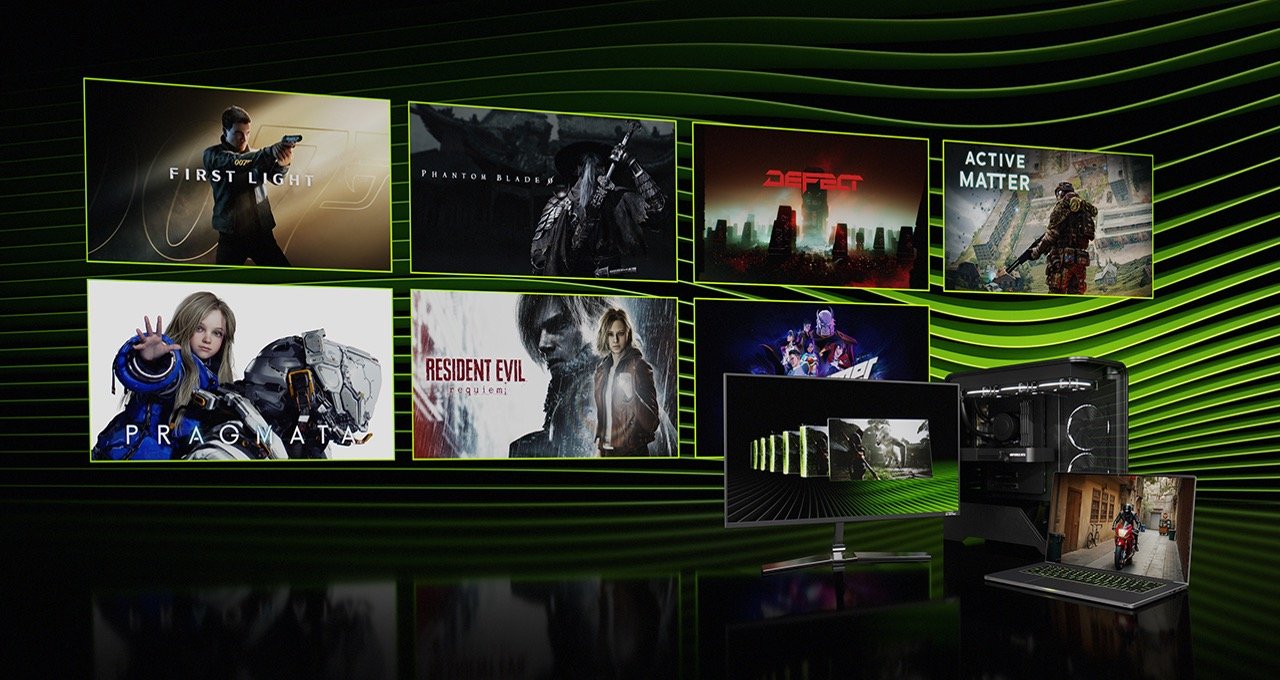
- 2026 releases with day-one DLSS 4.5 support: 007 First Light, Resident Evil Requiem, Phantom Blade Zero, and PRAGMATA.
DLSS 5: What We Know So Far
At NVIDIA’s GTC event in March 2026, CEO Jensen Huang unveiled DLSS 5, describing it as “the GPT moment for graphics” and the company’s biggest step in computer graphics since real-time ray tracing debuted in 2018. It’s a genuinely different kind of technology from everything before it.
Here’s what separates DLSS 5 from every previous version:
- It’s not primarily about frame rate. Where DLSS 1 through 4.5 focused on rendering games faster, DLSS 5 uses what NVIDIA calls 3D-Guided Neural Rendering to inject photorealistic lighting and material detail — subsurface scattering on skin, the sheen of fabric, the way light diffuses through foliage — directly into game frames in real time.
- It offers three selectable AI models. Developers can choose between Model A, Model B, and Model C, each trading off structural detail, global illumination accuracy, and texture fidelity differently, depending on the scene or performance target.
- It’s RTX 50-series exclusive at launch. NVIDIA has confirmed DLSS 5 won’t initially support the RTX 40 series or older hardware.
- The tech demo needed serious hardware. NVIDIA’s GTC demo ran on two RTX 5090 GPUs — one to run the game, one dedicated entirely to the neural rendering workload. NVIDIA says the shipping version will run on a single GPU by launch, though performance on more affordable RTX 50-series cards is still an open question.
- Sixteen games, nine publishers on board. At announcement, publishers including Bethesda, Capcom, Ubisoft, and Warner Bros. had committed to supporting DLSS 5.
- Launch window: Fall 2026. NVIDIA hasn’t given an exact date, but driver updates released mid-2026 already show early groundwork (“DLSS-NR” profile entries) being laid for the eventual rollout.
Reaction from the gaming community has been mixed — a lot of the early skepticism centers on the pattern of each new DLSS generation locking its best features to NVIDIA’s newest, most expensive GPUs. Whether DLSS 5 changes the way games look as significantly as DLSS 3 changed how fast they ran is something we’ll only be able to judge once it actually ships this fall.
Should You Actually Turn DLSS On?
In most situations, yes — but the right mode depends on what you’re doing.
- Playing at 4K or 1440p: DLSS Quality mode is close to a free lunch — a real fps boost with a visual difference that’s genuinely hard to spot during normal play.
- Playing at 1080p: Be more careful. Because DLSS starts from a lower internal resolution, and 1080p doesn’t leave much room to drop further, the upscaling artifacts are more noticeable than at higher resolutions.
- Competitive, twitch-reflex games: Standard Super Resolution adds essentially no input lag and is usually fine. Frame Generation and Multi Frame Generation add a small amount of latency (NVIDIA requires Reflex to offset it), so many competitive players prefer to leave those specific features off, even while keeping Super Resolution on.
- Single-player, visually driven games: This is where Frame Generation and Multi Frame Generation shine — the small latency cost is rarely noticeable in a game like Cyberpunk 2077 or Alan Wake 2, and the smoothness gain is dramatic.
- Older RTX 20/30-series cards: You’ll get the DLSS 4.5 Super Resolution and Ray Reconstruction upgrades, but not Frame Generation or Multi Frame Generation — those remain locked to newer hardware.
DLSS Explained: Frequently Asked Questions
What does DLSS stand for?
Deep Learning Super Sampling. It’s NVIDIA’s suite of AI technologies for boosting frame rates and image quality on GeForce RTX graphics cards.
Do I need an NVIDIA RTX card to use DLSS?
Yes. DLSS requires Tensor Cores, specialized AI hardware that’s only present in GeForce RTX graphics cards (RTX 20 series and newer). Older GTX cards and non-NVIDIA GPUs can’t run it.
Does DLSS make games look worse?
Not usually, especially from DLSS 2 onward. In many recent tests, including a large blind study by ComputerBase, DLSS 4.5 was actually preferred over native resolution. At very low base resolutions like 1080p, or on the most aggressive “Performance” and “Ultra Performance” settings, some quality loss becomes easier to spot.
What’s the difference between DLSS Super Resolution and Frame Generation?
Super Resolution takes a real, rendered frame and reconstructs missing detail using AI — it’s an upscaler. Frame Generation creates entirely new frames that the GPU never rendered at all, inserting them between real frames using AI motion prediction. They’re separate technologies that are often used together.
Is DLSS the same thing as FSR or XeSS?
No, but they solve the same problem. FSR is AMD’s version and XeSS is Intel’s; all three use AI or algorithmic upscaling to boost frame rates. DLSS generally still leads in image quality and game support, though AMD’s newest FSR 4 has closed much of the gap.
Does DLSS add input lag?
Standard Super Resolution doesn’t add meaningful latency. Frame Generation and Multi Frame Generation do add a small amount, since the GPU is briefly holding frames back to generate frames in between them — which is why NVIDIA requires its Reflex latency-reduction technology to run alongside them.
Will my current graphics card support DLSS 5?
Not at launch. NVIDIA has confirmed DLSS 5 will be exclusive to RTX 50-series GPUs when it ships in Fall 2026, meaning RTX 40-series and older cards won’t be supported initially.
How do I know which DLSS version a game supports?
Check the game’s in-game graphics settings menu, which usually lists the DLSS features available (Super Resolution, Frame Generation, Ray Reconstruction). You can also use the NVIDIA App’s DLSS Override feature to force newer DLSS presets in games that haven’t been updated by their developers yet.
Should I use DLSS in competitive multiplayer games?
Super Resolution alone is generally safe and adds no meaningful latency. Most competitive players skip Frame Generation and Multi Frame Generation specifically, since the small added latency matters more in fast-reaction games than the smoother visuals do.
The Bottom Line
DLSS explained simply: it’s NVIDIA using AI to make your GPU do less work while games look just as good — or, increasingly, even better. What started in 2018 as an inconsistent experiment has become one of the most important technologies in modern PC gaming, and DLSS 4.5 currently sits at the top of that evolution, with well over 1,000 games and apps supporting some part of the DLSS suite.
DLSS 5 is aiming to change the conversation entirely, shifting from “how fast can we render this” to “how real can we make this look” — but for now, it remains an RTX 50-series exclusive with a Fall 2026 launch window. Until then, DLSS 4.5 is the version worth understanding, and hopefully this guide made it make sense.