
By AISEN · Published: October 25, 2026 · Last updated: October 25, 2026
Phone makers change these features between models and software versions, so check your exact phone’s settings.
Quick answer
In most cases, yes. Face ID is more secure than most Android face unlock systems. It builds a 3D depth map of your face with infrared sensors, keeps your face data in a hardware-isolated chip, and requires your passcode after five failed attempts. Many Android face unlock systems recognize only a flat 2D image from the front camera, which is easier to fool. The exception is recent Google Pixels (Pixel 8 and newer), which meet Android’s strictest biometric class, so the security of Android face unlock depends on your exact phone.
Key takeaways
- Apple says the chance that a random person could unlock your iPhone with Face ID is less than 1 in 1,000,000 with a single enrolled appearance, with or without a mask. Apple’s figure for Touch ID is 1 in 50,000.
- Android face unlock is the weak spot. The consumer group Which? has tested 208 phones since October 2022 and found that 133 of them (64%) could be unlocked with a printed 2D photo. In its latest round, the Samsung Galaxy S26 passed, while the Galaxy S25 did not.
- Android sorts biometrics, including Android face unlock, into Class 3 (formerly Strong), Class 2 (formerly Weak), and Class 1 (formerly Convenience). All three allow about a 1-in-50,000 false-match rate. What separates them is how well they resist spoofing and how securely they process data.
- A random six-digit PIN has the same 1-in-1,000,000 odds on paper, but people pick predictable codes. In one analysis of leaked four-digit PINs, “1234” alone made up more than 10%.
- Face ID has limits. Apple says twins, siblings who look like you, and children under 13 raise the odds of a false match.
What “secure” means for a phone lock
A phone lock can fail in four different ways, and each type of lock holds up differently against each one:
- Guessing: someone tries combinations or faces until one works.
- Observation: someone watches you unlock the phone (shoulder surfing) or reads the smudges your finger leaves on the screen.
- Spoofing: someone fakes your biometric with a photo, video, mask, or mold.
- Coercion or physical access: someone forces or tricks you into unlocking the phone, or unlocks it while you are asleep.
“Which lock is strongest” depends on which of these you are worried about. Keep all four in mind as we compare Face ID with Android face unlock, PINs, and patterns.
How Face ID works
Face ID launched on the iPhone X in 2017 and relies on Apple’s TrueDepth camera system. According to Apple’s support documentation, the camera projects and analyzes thousands of invisible dots to create a depth map of your face, and it also captures an infrared image. Part of the neural engine inside the Secure Enclave turns both into a mathematical representation and compares it with the face you enrolled.
Several design choices matter for security, and all of them come from Apple’s own documentation (see also the Apple Platform Security guide):
- The data stays on the device. Face ID data is encrypted and protected by a key available only to the Secure Enclave. Apple says it never leaves the device and is never backed up to iCloud.
- It requires depth. Apple says Face ID always requires depth information, which isn’t found in prints or 2D photos, and uses anti-spoofing neural networks.
- It checks attention by default. Face ID normally requires your eyes to be open and looking at the phone, which makes it harder to unlock the device while you are asleep.
- It limits attempts. After five unsuccessful face matches, the phone requires the passcode.
- It adapts. Face ID updates its stored data as your appearance changes. After a bigger change, such as shaving a full beard, it asks for your passcode before updating.
- It falls back to the passcode at key moments. Apple lists these: after the phone is turned on or restarted; if it hasn’t been unlocked for more than 48 hours; if the passcode hasn’t been used in the last six and a half days and Face ID hasn’t unlocked the phone in the last 4 hours; after a remote lock command; after five failed face matches; and after you hold the side button and a volume button for 2 seconds to power off or start Emergency SOS.
- It works with masks on iPhone 12 and later, as long as the camera can see your eyes. Apple says Face ID with a mask always confirms attention.
One recent detail: Apple’s page says that on iPhone 18 Pro models and later, the depth data is supplemented with additional image data to maintain Face ID performance, processed in a hardware-isolated area Apple calls the Secure Exclave.
Face ID vs. Android face unlock
Why the hardware matters
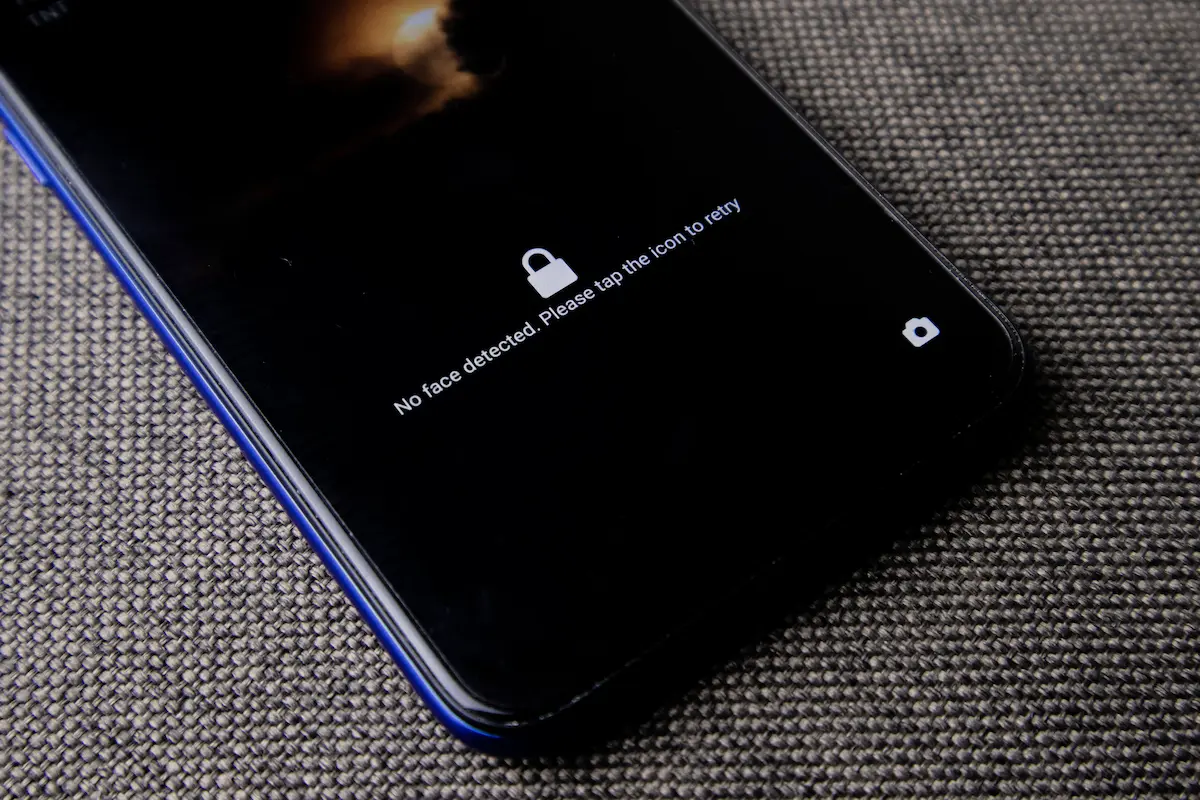
Most Android face unlock systems use the standard front camera to capture a flat 2D image. A flat image carries little depth information, so a high-quality photo, a video, or a close lookalike can sometimes fool it. Face ID’s depth map makes that kind of attack much harder than it is on a basic Android face unlock.
There are Android exceptions. Google’s Pixel 4 (2019) used infrared cameras, a dot projector, and a flood illuminator for face unlock. Its radar chip (Soli) handled gestures and motion sensing rather than matching your face. Some other manufacturers, such as Huawei on the Mate 20 Pro, shipped structured-light 3D face systems. Those were the exceptions.
Depth hardware isn’t the only route to strong Android face unlock, though. Which? says the Pixel 8, 9, and 10 use a 2D system that is significantly more secure than most, because Google uses machine learning to meet the highest security standard.
Android’s biometric classes
Android does not treat all biometrics equally, so not every Android face unlock offers the same protection. Its compatibility requirements define three classes based on how well a biometric resists spoofing and how securely it is processed:
- Class 3 (formerly “Strong”): spoof acceptance rate of 7% or lower, and a secure processing pipeline. It can be exposed to apps (for example, through Android’s BiometricPrompt) and can release cryptographic keys that protect app data, which is what payments and banking apps rely on. Tap-to-pay itself runs over NFC, but the phone usually asks you to authenticate first.
- Class 2 (formerly “Weak”): spoof acceptance between 7% and 20%, also with a secure pipeline. It can sign in through BiometricPrompt but can’t release app-bound cryptographic keys.
- Class 1 (formerly “Convenience”): spoof acceptance between 20% and 30%. It can’t be exposed to apps at all, and Android notes the class could go away in the future.
One detail that often gets lost: all three classes have the same false acceptance rate target, 1 in 50,000, which is the chance that a random person gets in. The difference between the classes is mostly how easily the system can be spoofed with a photo, a recording, or a fake, and whether the processing is secure.
What independent testing found about Android face unlock
Which? has run lab tests since October 2022 using nothing more than a printed 2D photo of the owner. Of 208 phones tested, 133 (64%) were fooled. The share of foolable phones peaked at 72% in 2024 and fell to 63% in 2025, so most new phones still fail. The newest results are better news for some brands: the Galaxy S26 series passed its latest round, while the Galaxy S25 range was bypassed, and Which? describes the Pixel 8, 9, and 10 as an exception.
Which? also points out that most UK banking apps and Google Wallet recognize low-security 2D systems and refuse them. A thief who gets past a weak Android face unlock can still read your messages, reset passwords through email, and open your photos.
Phone by phone
- Samsung: Android face unlock on Galaxy phones comes with a warning. Samsung’s support pages (written for the Galaxy S10 series) say face recognition is less secure than a pattern, PIN, or password, and recommend a fingerprint, pattern, PIN, or password to lock the device instead. A separate Samsung page explains that the face detector uses a single camera frame, which limits how well it resists spoofing.
- Samsung in Which? testing: Which? found the Galaxy S25 could be bypassed and the Galaxy S26 passed, and noted that Samsung showed upfront warnings on nine of its devices over three years.
- Google Pixel: the Pixel 4 had a depth-based Android face unlock system. The Pixel 5 and 6 shipped without face unlock, and the Pixel 7 brought back a basic camera-only version that, according to 9to5Google, could only unlock the phone. Payments and banking apps still required a fingerprint. With the Pixel 8 in 2023, Google said Face Unlock meets the highest Android biometric class, which allows it to be used for banking apps and Google Wallet.
- Other brands: Which? says Motorola and OnePlus together released 27 phone models since October 2022 that were easily bypassed in its labs without, in its view, an adequate warning. Both companies disagree, and each points to its own warnings and recommendations to use other lock methods. Which? says Xiaomi flagged the 2D-photo risk on 26 vulnerable handsets.
- Attention checks: when the Pixel 4 launched, reviewers reported that it could unlock with the user’s eyes closed. Google said it would add an option to require open eyes, which shows why attention detection matters.
The fair summary is that Android face unlock is not one thing. A Class 3 implementation, like the one on the Pixel 8 and newer, is a legitimate security feature. A basic 2D convenience unlock should not be trusted to protect sensitive data. On Android, the useful question is not “is face unlock secure?” but “which class is it on my phone?”
Comparison table
| Lock method | Chance a random attempt succeeds | Can a bystander watch it? | Spoofing resistance |
|---|---|---|---|
| Face ID | Less than 1 in 1,000,000 (Apple) | No | Designed to resist photos and masks with a depth map and attention check |
| Touch ID | About 1 in 50,000 (Apple) | No | Fingerprint spoofing is well studied |
| Android face unlock at Class 3 (for example, Pixel 8 and newer) | Under 1 in 50,000 (Android requirement) | No | Spoof acceptance 7% or lower |
| Basic Android face unlock (Class 1 or 2, many 2D camera systems) | Under 1 in 50,000 (Android requirement) | No | Higher spoof acceptance allowed (up to 20% for Class 2, 30% for Class 1) |
| 4-digit PIN | 1 in 10,000 | Yes | Not applicable |
| 6-digit PIN | 1 in 1,000,000 | Yes | Not applicable |
| Pattern lock | 1 in 389,112 | Yes, plus smudge traces | Not applicable |
| Long alphanumeric password | Extremely low | Yes | Not applicable |
Face ID vs. PINs, patterns, and passwords
Four-digit and six-digit PINs
A four-digit PIN has 10,000 possible combinations, and a six-digit PIN has 1,000,000. On paper, a random six-digit PIN gives a guesser the same odds as Face ID.
The problem is people. When security researcher Nick Berry analyzed millions of leaked four-digit PINs at DataGenetics, “1234” made up more than 10% of them, “1111” came next at about 6%, and the 20 most common PINs covered more than a quarter of all users. That data came from leaked passwords rather than phone lock screens specifically, but the lesson holds: attackers try the likely codes first.
iPhones add escalating delays after repeated wrong guesses and offer an optional setting that erases the device after 10 failed attempts, which blunts brute-force guessing. The bigger practical weakness is observation: a PIN can be watched, filmed, or reused.
Pattern lock
Android’s 3×3 pattern grid allows 389,112 valid patterns, but people tend to choose simple, predictable shapes. Researchers have also shown that patterns leave oily smudges on the screen. A 2010 USENIX study on smudge attacks found that smudge traces could often be recovered from touchscreens under realistic lighting and camera conditions. Patterns are also easy to follow over someone’s shoulder.
Long alphanumeric passwords
A random 8-character password using upper- and lowercase letters and digits has about 218 trillion possible combinations, which makes guessing impractical on a phone that limits attempts. The trade-off is convenience and exposure: typing a long password dozens of times a day in public makes it much more likely that someone sees it.
Why observation matters more than the raw numbers
This is where Face ID’s advantage becomes real. The numbers for a random six-digit passcode and Face ID look the same on paper, so the headline odds can’t settle the question. What settles it is how people actually use their phones.
In 2023, news reports described thieves in some cities watching people type their iPhone passcode in public, stealing the phone, and then using the passcode to take over the owner’s Apple Account. Apple responded with Stolen Device Protection in iOS 17.3 (January 2024).
When your iPhone is away from familiar places such as home or work, certain actions, such as using saved passwords and passkeys or erasing the phone, require Face ID or Touch ID with no passcode fallback. Changes to critical security settings or your Apple Account can require a one-hour wait.
The feature started as an opt-in setting. Apple turned it on by default in iOS 26.4, as AppleInsider reported in February 2026, so check Settings > Face ID & Passcode on your own phone to confirm it’s on.
A biometric can’t be watched over your shoulder or filmed on a train, and it doesn’t depend on you choosing a good code. A longer passcode on its own can’t fix that.
Where Face ID can still fail
Face ID is stronger than most alternatives, but it has limits:
- Twins, siblings, and children. Apple states that the false match probability is higher for twins and siblings who look like you, and for children under 13, because their distinct facial features might not have fully developed. It is further increased when using Face ID with a mask. Apple recommends a passcode if this worries you.
- Spoofing research. In 2017, the Vietnamese security firm Bkav claimed to have fooled Face ID with a custom-built mask. The claim was widely debated and was never shown to be a practical attack on ordinary people. In 2019, researchers from Tencent presented a bypass at Black Hat USA using glasses with tape on the lenses to defeat the attention check, but it only worked on a sleeping or unconscious person who didn’t wake up while the glasses were put on.
- Forced unlocking. Because your face is always with you, someone could hold the phone up to it. Pressing and holding the side button and a volume button for about two seconds requires the passcode to unlock again. The law around compelled biometric unlocking varies by country and court, so don’t assume your face is protected.
How to set up the most secure lock
On iPhone
- Use Face ID for everyday unlocking so you aren’t typing your code in public.
- Set a long alphanumeric passcode, or at least six random digits, as the fallback. Avoid birthdays and repeated numbers.
- Open Settings > Face ID & Passcode and confirm Stolen Device Protection is on. You can also choose “Always” under Require Security Delay if you want the extra protection even at home.
- Keep “Require Attention for Face ID” enabled unless you need it off for accessibility reasons.
- If you carry sensitive information, turn on the option to erase data after 10 failed passcode attempts.
- Learn the quick-disable shortcut (hold the side button and a volume button for about two seconds) so you can force passcode-only mode before you walk into a risky situation.
Android face unlock and lock screen setup
- Check your phone’s biometric settings and prefer the face or fingerprint method the phone describes as more secure. If your phone warns that Android face unlock is less secure, take the warning seriously.
- If your phone is a Pixel 8 or newer, Face Unlock meets Android’s highest biometric class. On other phones, don’t rely on a basic 2D Android face unlock for banking or sensitive apps.
- Use a fingerprint or a long PIN or password for the lock screen and sensitive apps. Avoid simple patterns.
- Which? also suggests setting a SIM PIN, which stops a thief from moving your SIM card to another phone to intercept bank codes, and using app lock features to require a fingerprint for apps like WhatsApp, email, and your photo gallery.
Frequently asked questions
Can someone unlock Face ID with a photo?
Apple designed Face ID to resist photos and videos. It always requires depth information, which isn’t found in prints or 2D photographs, and it checks attention, so a flat photo shouldn’t work. Android face unlock on many phones is a different story: Which? unlocked 64% of the phones it tested with a printed photo.
Can identical twins unlock each other’s iPhones?
It’s possible. Apple states that the chance of a false match is higher for twins and siblings who look like you, which is one reason to use a passcode if this worries you.
Is Face ID safer than a passcode?
For everyday threats, usually yes, mainly because it can’t be watched or filmed and doesn’t depend on you picking a good code. A long, random passcode is still very strong against guessing, so the best setup uses both.
Is Android face unlock secure?
It depends on the phone. Android face unlock ranges from Class 3, which meets Android’s strictest spoofing limits, down to basic 2D camera systems that Which? could fool with a printed photo on 64% of the phones it tested. Check the warnings in your phone’s settings instead of assuming all Android face unlock is equally safe.
Is Android face unlock safe enough for banking apps?
Only if it meets Android’s Class 3 standard on your specific phone. Google says Pixel 8 and newer models do. Many 2D camera systems don’t, and apps and wallets are allowed to refuse them.
Which Android phones have the most secure face unlock?
In Which?’s printed-photo test, the Pixel 8, 9, and 10 and the Galaxy S26 series passed, while the Galaxy S25 range and many budget and mid-range phones did not. Google says Pixel 8 and newer meet Android’s highest biometric class. For other phones, check the maker’s documentation before using face unlock for banking.
Does Face ID work with a mask?
On iPhone 12 and later, yes, as long as the camera can see your eyes. Apple says the chance of a random person unlocking your phone is less than 1 in 1,000,000 whether or not you wear a mask, and that Face ID with a mask always confirms attention. The chance of a false match for twins, siblings, and young children rises further when a mask is used.
Can police force me to unlock my phone with my face?
The rules differ by country and by court, and courts have not treated biometrics and passcodes the same way. If this is a concern, you can temporarily disable biometrics by holding the side button and a volume button for about two seconds.
Why does my iPhone ask for the passcode after a restart?
Face ID is disabled after a restart until you enter the passcode once. This is a deliberate protection. Apple also requires the passcode if the phone hasn’t been unlocked for more than 48 hours.
The bottom line
Use Face ID, or a Class 3 biometric on Android, for everyday unlocking, and back it up with a long, non-obvious passcode. On iPhone, check that Stolen Device Protection is on. If your Android face unlock is only a basic 2D system, use a fingerprint or PIN for banking and sensitive apps instead.
How this guide was researched
I haven’t lab-tested these phones myself. This guide is based on Apple’s and Google’s own documentation and on independent testing by Which?, all linked below. If a manufacturer changes how its Android face unlock or Face ID works, I’ll update this page and the date at the top.
Sources
- Apple Support: About Face ID advanced technology
- Apple Platform Security guide
- Apple Support: About Stolen Device Protection for iPhone
- AppleInsider: iOS 26.4 has iPhone Stolen Device Protection on by default
- Android Open Source Project: Measure biometric unlock security
- Which?: Face recognition on phones easily fooled
- 9to5Google: Pixel 8 Face Unlock
- Samsung Support: face recognition security (Galaxy S10 series)
- Samsung Support: face detection and captured images
- DataGenetics: PIN number analysis
- USENIX: Smudge Attacks on Smartphone Touch Screens
- 9to5Mac: Face ID bypass with glasses and tape